
Phone services
Help Desk
- Guiding users on how to use the system
- Help solving user problems
- Guidance for troubleshooting and fixing faults
Home / Support / Customer guide
After-sales handbook: everything you need after buying software. How to get support, which contract suits you, where to get a new version and the lock’s second password, and what the customer club offers.
Thank you for choosing Akam Data. We wrote this guide so that the company’s workflows and how to reach us are clear, and you know which section to turn to for each need.
Needs and services change. This guide is updated every year, and your feedback helps improve it.
We are a company small in size, rich in specialists, and with a very high hope. We grow our capital by developing good products, not by the number of products.
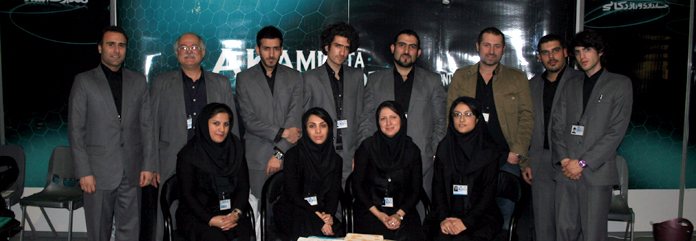
Our products in five groups.
So that all your needs are met by one company and our work does not overlap with your organisation’s IT department. If you prefer not to use these services, we coordinate with your own IT unit.
For the network only; it does not include the devices’ operating systems.
| Title | Number of clients | Contract term (months) | Tariff |
|---|---|---|---|
| S51 | Fewer than 5 devices | 3 | 12K |
| S52 | Fewer than 5 devices | 6 | 18K |
| S53 | Fewer than 5 devices | 12 | 24K |
| S54 | 5 to 15 devices | 3 | 20K |
| S55 | 5 to 15 devices | 6 | 32K |
| S56 | 5 to 15 devices | 12 | 45K |
| S57 | 15 to 25 devices | 3 | 36K |
| S58 | 15 to 25 devices | 6 | 66K |
| S59 | 15 to 25 devices | 12 | 96K |
Amounts are per device and do not include original antivirus.
| Title | Free visits per month | Contract term (months) | Total tariff for the term | Unit (per month) |
|---|---|---|---|---|
| W31 | 1 | 3 | 9K | 3K |
| W32 | 1 | 6 | 15K | 2.5K |
| W33 | 1 | 12 | 24K | 2K |
| W34 | 2 | 3 | 15K | 5K |
| W35 | 2 | 6 | 24K | 4K |
| W36 | 2 | 12 | 42K | 3.5K |
Most daily problems come from data entry. We have an operator team that knows the system and carries out your needs in the short term.
The contract for this service can be hourly, daily, based on document volume, monthly or contract-based.
For accountants and finance managers. These services are done by a separate team.
| Ongoing accounting | Recording the company’s real documents in the financial system and preparing management reports for decisions |
|---|---|
| Prior-year accounting | Recording documents of previous years or months |
| Dispatching an accountant | Sending one person to do accounting with the software, part-time or half-time |
| Internal audit | Reviewing accounts to clarify the company’s financial and insurance position, or when partners are separated or added |
| Tax audit | Dispatching an audit team, preparing the tax return and defending at commissions |
| Financial audit | Companies with annual sales above 8,000,000,000 rials are required to have it; others may do it voluntarily |
| Insurance | Consulting and execution on insurance problems and debts, and financial-insurance audit |
If one computer breaks down, part of the company’s work stops. Computer and printer hardware support solves this problem.
| Title | Tariff |
|---|---|
| Per day of visit | 2K |
| Per device | 1K |
Our representatives in Tehran and the provinces are with you in sales and support until you reach the result you want.
| City | Company | Representative | Phone | Address | Status |
|---|
Potential agencies in Tabriz, Ardabil, Isfahan, Chabahar, Boroujen, Chalus, Kerman and Semnan are under review.
From signing the contract to renewing the warranty, these happen in this order.

Four ways to get a fast, accurate answer. Start with the simplest.
Help Desk
Patch Help
Remote Access
Help Expert
Services are offered in several formats according to the type and nature of your request. The name of each format is a precious stone and matches your membership level in the Akam club. Choose a level to highlight its column in the table.
| Description of activity | ||||
|---|---|---|---|---|
| On-site visits | 10 times | Send the device to the company | Once a month | Each time on request |
| Online support | Unlimited | Unlimited | Unlimited during the contract months | Each time on request |
| Phone support | Unlimited | Unlimited | Unlimited during the contract months | Each time on request |
| Patch | Unlimited | Send the device to the company | Available | Each time on request |
| How it is carried out | Annual contract; support 12 hours a day | Annual contract; support 15 hours a day | Monthly contract; services are provided within one month | You call separately each time and the fee is charged by invoice |
| Support priority | On-site and online | Online | On-site and online | Online |
| Site panel | Dedicated | Dedicated | Private | Public |
| SMS notifications | Yes | Yes | Yes | Public |
| Tracking satisfaction | Continuous | Continuous | Non-continuous | Every 1 year |
| Following up needs and requests | First priority | First priority | Second priority | Third priority |
| Akam newsletter | Sent continuously | Sent continuously | Only months with a contract | Once a year |
| Receiving a new version | ||||
| Payment | Annual, lump sum in cash | Annual, lump sum in cash | Start or end of the month, as agreed | After the service, in cash or instant transfer |
If you join the Akam conical-triangle club, you can use the consecutive annual discount.
| Contract year | Benefit |
|---|---|
| Second year | 10% discount |
| Third year | 20% discount |
| Fourth year | 30% discount |
| Fifth year | 40% discount |
| Sixth year | 9 months of free warranty |
| Sixth year onwards | 50% discount |
For production and financial software, specialist single-user and multi-user, and integrated:
| Support type | Contract term | Tariff |
|---|---|---|
| On-site | Annual | W × (S ÷ ??) |
| Monthly | W × (S ÷ ??) | |
| Online | Annual | W × (S ÷ ??) |
| Monthly | W × (S ÷ ??) | |
| Ad hoc | Each on-site case | K × 5 |
| Each online case | K × 3 | |
| Case submission | K × 2 |
To request a change or announce a new need, fill in the ”change request form” and send it electronically or by fax. The time needed is announced by SMS or email after the form is reviewed.
If you send it by email, write this format in the ”Subject” so the request reaches the right person sooner:
Request - Company name - Date
Example: Request - Penguin Plast - 28/11/90
Software is supplied with two kinds of lock. The hardware lock is a USB dongle.
First install the software, then run ”Software lock” from the Start menu. You must give the company the ”package serial” and the ”first password” and get the ”second password”. You have three ways:
| Method | What to do |
|---|---|
| Phone | Call the company and read the package serial and first password to the operator; they give you the second password. |
| Send the package serial, first password and your details to the company’s email (write in the subject PASSWORD); the second password comes to the same email. | |
| SMS | Send the package serial and first password with your name to the company’s SMS number (3000248847 1190); the second password is sent by SMS to the same mobile. |
The club was created for regular, direct communication with you and to raise loyalty. It has three membership levels (Diamond, Ruby, Emerald) and several services.
Number 88471190 save it on your phone as ”Akam Data” so the company’s SMS shows with the name. The company’s SMS number is 3000248847 1190 Important messages about communication, warranty, draws and discounts are sent to the number you gave. 999 in the examples means your subscription code.
| Code | Purpose | SMS text (example) |
|---|
Common answers about the software, support and purchase terms.
No question with this phrase was found. Contact support or send us your question.
Your time is valuable; knowing the working days makes your communication with Akam more effective.
| Software development | 9 am to 6 pm, Saturday to Wednesday |
|---|---|
| After-sales services | 8 am to 4 pm, Saturday to Wednesday |
| Management and head office | Odd days of the week |
| Closed | Thursdays, Fridays, official holidays and from Nowruz to the 15th of Farvardin |